Plan & Organize Stickers for reMarkable
Plan & Organize Stickers for reMarkable
Couldn't load pickup availability
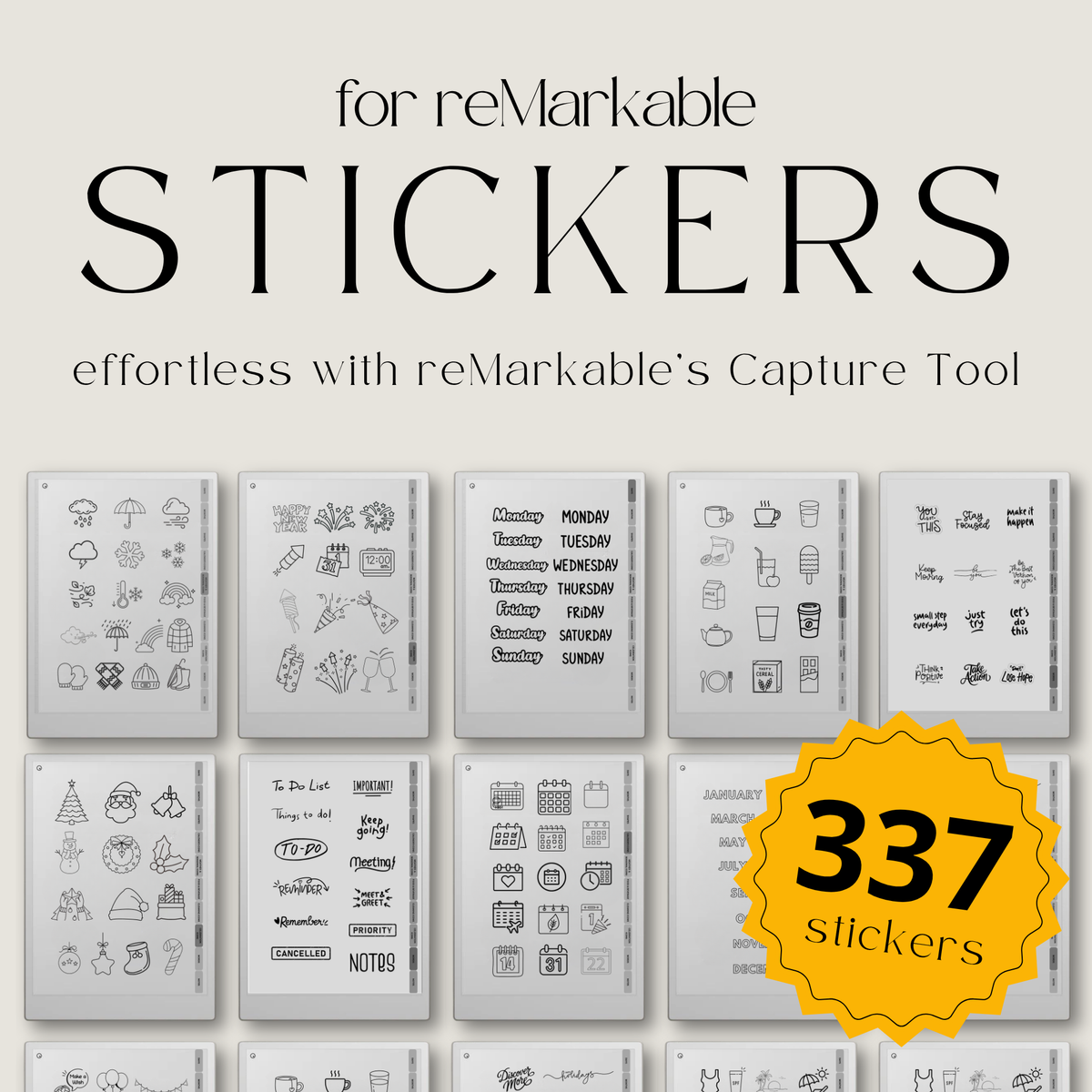
Plan, organize, and personalize your reMarkable with this collection of 337 digital stickers designed for reMarkable Paper Pro and reMarkable 2. This digital PDF includes practical planning elements such as days, months, calendar icons, weather symbols, food and beverage icons, cleaning stickers, celebration designs, labels, shapes, words, and motivational phrases.
Designed for everyday planning, scheduling, journaling, task management, and productivity, this sticker book helps you add structure and visual organization to your digital notebooks and planners.
With the reMarkable Capture Tool, you can easily use the visuals from this PDF as reusable digital stickers. Simply capture the sticker you want, paste it into your notebook or planner, then move, resize, or rotate it to fit your layout.
The Capture Tool was introduced with reMarkable software version 3.28. Your device needs to be running software version 3.28 or later to use this workflow.
What’s included
• 337 digital sticker designs
• Days and months
• Calendar elements
• Weather icons
• Food and beverage icons
• Cleaning and household stickers
• Celebration and event stickers
• Shapes and labels
• Words and motivational phrases
• Planning and productivity elements
• Hyperlinked sticker categories
• Step-by-step Capture Tool guide
Planning sticker collection
This sticker book includes a wide range of practical visuals to help you plan and organize different areas of your day.
• Days and months for calendars and schedules
• Calendar elements for appointments and planning
• Weather icons for daily and weekly tracking
• Food and beverage stickers for meal planning
• Cleaning icons for household routines and tasks
• Celebration stickers for birthdays, events, and special dates
• Labels and shapes for sections, notes, and highlights
• Words and motivational phrases for journaling and goal setting
Capture Tool workflow
The reMarkable Capture Tool makes it easy to reuse the visuals from this PDF throughout your notebooks and planners.
• Open the PDF on your reMarkable
• Find the sticker you want to use
• Capture the sticker with the Capture Tool
• Paste it into your notebook or planner
• Move it anywhere on the page
• Resize it to match your layout
• Rotate it when needed
• Reuse your favorite stickers whenever you want
No tracing or special installation is needed. The sticker collection is provided as a digital PDF that works naturally with the Capture Tool workflow.
Hyperlinked organization
• Organized sticker categories for easy browsing
• Hyperlinked navigation helps you quickly find the section you need
• Spend less time scrolling through sticker pages
• Keep planning elements organized and easy to access
Designed for planning & productivity
• Use stickers to organize daily and weekly schedules
• Add visual markers to calendars and planners
• Track tasks, routines, habits, and goals
• Highlight important notes and reminders
• Add structure to work, study, and personal planning
• Personalize journals and digital notebooks
Capture Tool guide
A step-by-step guide is included to help you get started with the reMarkable Capture Tool and learn how to capture, paste, move, resize, and rotate stickers.
The Capture Tool requires reMarkable software version 3.28 or later.
For a detailed walkthrough, see our reMarkable Capture Tool Guide.
Compatibility
• Designed for reMarkable Paper Pro
• Designed for reMarkable Paper Pure
• Designed for reMarkable 2
• Requires reMarkable software version 3.28 or later
• Provided as a digital PDF file for use with the Capture Tool
• PDF format, rather than an RMDOC file
• Instant digital download
• No physical item will be shipped
Product details
• 337 digital sticker designs
• Planning, calendar, lifestyle, and productivity stickers
• Includes days, months, weather, food, cleaning, celebration, labels, shapes, and words
• Hyperlinked sticker categories
• Digital PDF format
• Designed for reMarkable Paper Pro, reMarkable Paper Pure, and reMarkable 2
• Compatible with software version 3.28 or later
• No tracing or special installation needed
• Instant digital access after purchase
Stay organized and make your reMarkable planner easier to use with 337 versatile digital stickers for scheduling, productivity, journaling, routines, and everyday planning. Capture, paste, move, resize, and rotate the stickers wherever you need them.