Skip to product information
1 of 11

Mind Map Notebook Bundle for reMarkable Paper Pro Move

Mind Map Notebook Bundle for reMarkable Paper Pro Move

Regular price $5.50 USD
Regular price $11.00 USD Sale price $5.50 USD
Sale Sold out
Taxes included. Shipping calculated at checkout.
Quantity

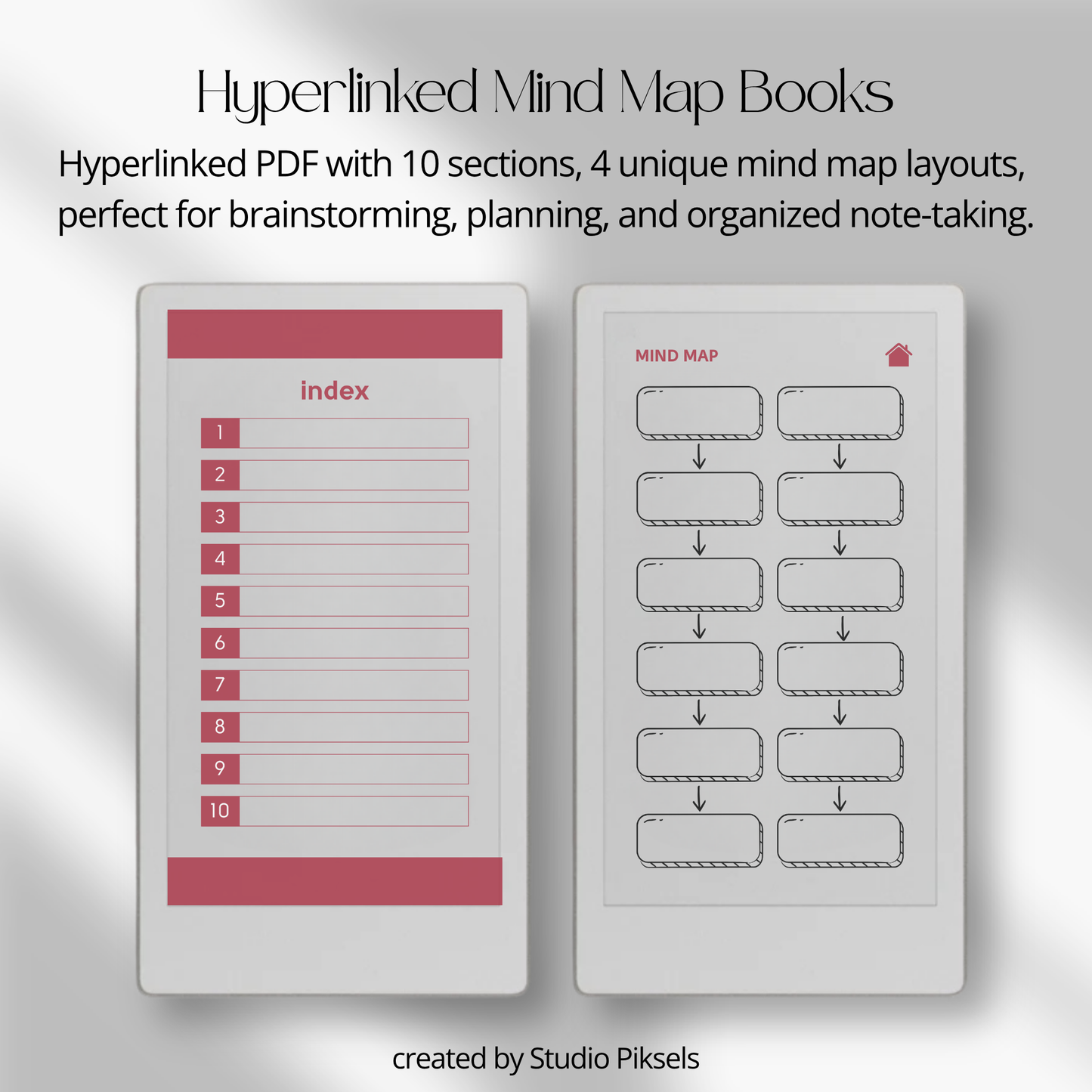
Turn ideas into clear, organized plans with this Mind Map Notebook Bundle for reMarkable Paper Pro Move. This digital PDF set includes 4 hyperlinked notebooks, each with its own color and mind map layout, giving you flexible ways to brainstorm, plan projects, organize thoughts, and capture notes.

Each notebook includes customizable sections, dedicated mind map pages, notes pages, and linked navigation, making it easy to keep projects structured without losing the freedom to explore ideas visually.

With the reMarkable Capture Tool, you can also reuse useful mind map sections across your notebooks. Capture the part you want, paste it into another page, then move, resize, or rotate it to fit your layout.

The Capture Tool was introduced with reMarkable software version 3.28. Your device needs to be running software version 3.28 or later to use this workflow.

What’s included

• 4 hyperlinked mind map notebooks
• 4 unique mind map layouts
• 4 color versions
• 24 hyperlinked pages per notebook
• Cover page
• Hyperlinked index
• 10 customizable sections
• 10 mind map pages
• 10 notes pages
• Extra navigation pages
• Capture Tool workflow guidance

Mind map notebook layouts

Each notebook offers a different way to structure your ideas and projects.

• Choose between 4 unique mind map layouts
• Use dedicated mind map pages for brainstorming and visual planning
• Add supporting details on matching notes pages
• Organize projects into 10 customizable sections
• Create separate spaces for business, study, personal, or creative projects
• Duplicate pages whenever you need more room

Hyperlinked organization

• Hyperlinked index for quick navigation
• Jump directly to any section
• Easily move between mind maps and notes
• Keep large projects organized without endless scrolling
• Create your own section titles for a more personalized workflow

Designed for ideas & project planning

• Brainstorm business ideas
• Map out creative projects
• Plan workflows and strategies
• Capture spontaneous thoughts
• Organize study topics
• Build project outlines
• Create idea planners and vision maps
• Keep notes and action points connected to each mind map

Reuse with the Capture Tool

The reMarkable Capture Tool adds extra flexibility to your mind mapping workflow.

• Open the PDF on your Paper Pro Move
• Use the Capture Tool to select a useful mind map section
• Paste it into another notebook or page
• Move it wherever you need it
• Resize it to fit your layout
• Rotate it when needed
• Reuse useful mind map structures across different projects

No tracing or special installation is needed. The notebooks are provided as digital PDFs.

Capture Tool guide

The Capture Tool can be used to reuse mind map sections and visual structures across your reMarkable notebooks.

The Capture Tool requires reMarkable software version 3.28 or later.

For a detailed walkthrough, see our reMarkable Capture Tool Guide.

Compatibility

• Designed for reMarkable Paper Pro Move
• Requires reMarkable software version 3.28 or later for Capture Tool use
• Provided as digital PDF files
• PDF format, rather than RMDOC files
• No tracing or special installation required
• Instant digital download
• No physical item will be shipped

Product details

• 4 digital mind map notebooks
• 4 unique layouts and color versions
• 24 hyperlinked pages per notebook
• 10 customizable sections per notebook
• Mind map and notes pages included
• Hyperlinked navigation
• Digital PDF format
• Designed for reMarkable Paper Pro Move
• Mind map sections can be captured, pasted, moved, resized, and rotated
• Instant digital access after purchase

Bring more structure to your ideas with four flexible mind map notebooks designed for reMarkable Paper Pro Move. Use the full layouts for project planning and brainstorming, or reuse useful sections with the Capture Tool across your notes and notebooks.


View full details